CIDB class of works: how the letters and grades work

A CIDB class of works is the two-letter code in your contractor grading that defines the kind of construction work you're authorised to do. Combined with your grade number, it caps the contract value you may tender for and determines which government tenders you're even allowed to submit. Get the class wrong, and your bid gets thrown out before anyone reads your price.
Here's what that code actually controls once you're registered on the Construction Industry Development Board's register of contractors:
- Tender eligibility — you can only bid on work matching your registered class and grade or lower
- Special licences — some classes (electrical, home building) demand extra certification before CIDB will even accept the application
- Joint-venture structure — who can lead a JV bid depends on which partner holds the required class and grade
- Contract-value ceiling — your grade number sets the rand-value band you're permitted to tender within
CIDB's own eRoC portal is where all of this gets processed, and the NHBRC sits alongside it as a mandatory checkpoint for anyone building houses. Understanding how the class of works fits into the wider CIDB classification system is the difference between a bid that clears prequalification and one that doesn't.
Key Takeaways
Correctly matching your CIDB class and grade to a tender's stated requirements is the single factor that determines whether your bid gets evaluated at all.
| Point | Details |
|---|---|
| Class defines the trade | The two-letter code (GB, CE, EB, SP, and others) sets the specific type of work you're authorised to tender for. |
| Grade sets the value ceiling | The number paired with your class caps the contract value band you're eligible to bid within. |
| Documents make or break upgrades | Two years' financials, RoP-registered completion certificates, and valid specialist licences must all be current. |
| Timing avoids eligibility gaps | Grade 1 activates immediately; Grades 2–9 take about 21 working days, so renew before expiry, then upgrade. |
| Match registration to opportunity | Once your class and grade are confirmed, use Protenders' tender feed to find live tenders that fit your new eligibility. |
Table of Contents
- What is CIDB class: reading the grading designation
- Types of CIDB works: the full classification system
- How class of works determines tender eligibility
- How to add or upgrade a class via eRoC
- Documents and track record CIDB expects
- Special licences some classes require
- Joint ventures and when to use an alternative class
- Timing your upgrade or renewal application
- Practical checklist to avoid rejection
- An editorial take on getting your class right
- Turning your new CIDB grading into won contracts
- Sources
- FAQ
What is CIDB class: reading the grading designation
Every CIDB grading designation is built from three characters, and once you know how to read them, you can decode any contractor's registration in seconds. The first character is a number from 1 to 9, and it sets your contract-value band, the ceiling on how large a project you're permitted to tender for. The two letters that follow identify the class of works, the actual trade or discipline you're certified to perform.
So a contractor registered as 5GB is a Grade 5 General Building contractor. A 6CE is a Grade 6 Civil Engineering contractor. Same structure, different discipline, different rand ceiling.
A designation like 5GB tells a tender evaluator two things at once: this contractor can handle general building work, and their financial and technical capacity has been assessed at Grade 5. Neither number means anything without the other.Quick decode: think of the grade number as your spending limit and the class letters as your job description. A Grade 9 electrician (9EB) can tender for enormous contracts, but only electrical ones. A Grade 2 general builder (2GB) can build, but only within a modest value band. The Practice Note on contractor grading sets out exactly how procuring organs must specify this designation in tender documents, and why mismatching either half of it disqualifies a bid.
One detail that trips up new applicants: you can hold multiple classes under one CRS number, but CIDB only assigns one grade per class. A contractor might be 6GB and 4EB at the same time, each grade reflecting a separate track record and separate financial assessment for that discipline.
Types of CIDB works: the full classification system
CIDB's classification system splits construction into two general categories, General Building (GB) and Civil Engineering (CE), plus a long list of specialist classes covering everything from electrical work to lift installation. Knowing where your actual trade sits in this list matters more than most contractors realise, because bidding under the wrong class gets a submission rejected outright, regardless of price or quality.
| Class Code | Class Name | Plain-English Example |
|---|---|---|
| GB | General Building | Houses, offices, schools, warehouses |
| CE | Civil Engineering | Roads, bridges, bulk earthworks, stormwater |
| EB | Electrical Engineering (Building) | Wiring, distribution boards, building electrical installations |
| EP | Electrical Engineering (Infrastructure) | Substations, power lines, infrastructure electrical work |
| ME | Mechanical Engineering | HVAC, pumps, mechanical plant installation |
| SB | Specialist: Asphalt | Road surfacing and asphalt laying |
| SC | Specialist: Piling (Concrete) | Concrete pile foundations |
| SD | Specialist: Demolition | Structure demolition and clearing |
| SE | Specialist: Fire Protection | Sprinkler systems, fire suppression installation |
| SF | Specialist: Fencing | Perimeter and security fencing |
| SG | Specialist: Glazing | Curtain walling, structural glass |
| SH | Specialist: Waterproofing | Roof and structure waterproofing |
| SI | Specialist: Lift Installation | Elevators and escalators |
| SJ | Specialist: Piling (Steel) | Steel pile driving foundations |
| SK | Specialist: Roofing | Roof sheeting and tiling |
| SL | Specialist: Landscaping | Site landscaping and irrigation |
| SM | Specialist: Painting | Structural and decorative painting |
| SN | Specialist: Scaffolding | Access scaffolding erection |
| SO | Specialist: Shopfitting | Retail fitout and joinery |
| SP | Specialist: Home Building | New residential construction (requires NHBRC) |
| SQ | Specialist: Water Treatment | Water and wastewater treatment plant work |
A common problem: your actual job spans two classes. A shopping centre fitout might involve both general building (GB) and shopfitting (SO). CIDB's position, laid out in its comprehensive registration guide, is that you register in the class that best captures the primary nature of the work, or an authorised alternative class where the procuring organ specifies one. CIDB does not support demanding dual classes on a single tender as a workaround.
- Identify the dominant trade in the contract scope before choosing your class
- Check the tender notice for an explicitly stated "alternative class" allowance
- Verify any class definition you're unsure of directly on cidb.org.za rather than relying on secondhand summaries
Pro Tip: If your business genuinely straddles two trades, register in both classes separately rather than trying to force one contract into a class it doesn't fit. It costs more upfront in paperwork but keeps every future tender clean.
How class of works determines tender eligibility
Only contractors registered in an equal or higher grading designation, matching class and matching or exceeding grade, are eligible to have their tenders evaluated for GB or CE work. This is not a soft guideline. It's baked into how procuring organs are required to prequalify bidders under CIDB's framework.
Every tender notice for regulated construction work must state the required contractor grading designation explicitly, meaning a specific number and specific class letters, or an approved alternative class where the scope allows it. If you submit as a 4GB contractor against a tender calling for 6CE, your bid doesn't get a lower score. It gets excluded from evaluation entirely.
Bidding outside your authorised class or grade isn't a minor compliance gap. It's grounds for automatic disqualification, and no amount of price competitiveness or technical merit recovers a bid that never gets evaluated in the first place.
Practical effects worth internalising before you start browsing tender notices:
- You can only submit for opportunities matching your registered class at your grade or below
- Bidding above your grade is only possible under CIDB's PE (Potentially Emerging) provision, and only when the awarding authority runs an active mentorship or development programme tied to that specific contract, it is not an automatic promotion
- In a joint venture, the lead partner must independently hold the class and grade the tender requires
- Where a tender notice permits an alternative class, using it correctly can open opportunities a strict single-class reading would exclude
Matching your registration to live opportunities is where most SMMEs lose time. Once you know your class and grade, browsing government tenders filtered to your actual eligibility saves the wasted effort of chasing contracts you can't legally win.
How to add or upgrade a class via eRoC
Adding a new class or pushing your grade up happens through CIDB's eRoC portal, and the process follows the same basic shape whether you're adding your first specialist class or upgrading an existing one.
- Log into eRoC using your company's CRS number, registered email, and password
- Select "Add a class of works" or "Upgrade a class of works" from the application menu
- Choose the specific class code (GB, CE, EB, SP, etc.) and target grade
- Upload the required supporting documents (see checklist below)
- Pay the applicable registration fee
- Submit and monitor application status through your eRoC dashboard
Activation timing differs sharply by grade. Grade 1 applications activate immediately provided you have a credit balance on your account. Grades 2 through 9 typically take around 21 working days to process, assuming your document set is complete on first submission. An incomplete upload doesn't just delay things, it resets the clock once you resubmit.
Required uploads for Grades 2–9 generally include:
- Latest two years' financial statements
- Bank statements or VAT 201 confirming turnover
- Tax compliance status pin
- Completion and final payment certificates as track-record evidence
- Company registration documents and ID copies of directors
- Any class-specific licence (electrical certificate for EB, NHBRC registration for SP)
| Point | Details |
|---|---|
| Grade 1 timing | Activates immediately if your account holds a credit balance. |
| Grades 2–9 timing | Roughly 21 working days when the document set is complete. |
| Application channel | Handled entirely through the eRoC portal, not paper submission. |
| Common delay cause | Incomplete uploads reset the review period on resubmission. |
For a fuller walkthrough of the whole registration journey, ProTenders has published a step-by-step CIDB registration guide covering Grades 1 through 9.
Documents and track record CIDB expects
CIDB assesses two things when you apply to add or upgrade a class: your financial capacity and your demonstrated technical competency. Applicants with strong balance sheets but no verifiable project history fail this step more often than people expect, because financial capability alone doesn't prove you can execute the work.
On the financial side, expect to submit:
- Your latest two years' financial statements, signed off and dated
- Stamped bank statements or a VAT 201 return confirming actual turnover matches what your financials claim
- A current tax compliance status pin from SARS
On the track-record side, CIDB wants completion and final payment certificates for projects finished within the last five years, and each certificate must correspond to the specific class of works you're applying for. A stack of general building certificates does nothing for an EP upgrade application.
Financial statements prove you can afford to do the work. Completion certificates prove you've actually done it. CIDB weighs both, and a gap in either one stalls the entire application.
One verification detail that's becoming stricter: projects need to have been recorded on the Register of Projects (RoP) at the time they were awarded. A signed completion certificate for a project that was never logged on the RoP risks being rejected as track-record evidence, even if the paperwork otherwise looks fine.
Pro Tip: Build a project dossier per contract as you go, not retroactively when you need it for an application. Include the award letter, RoP confirmation, completion certificate, and final payment certificate together in one file. Chasing these down two years after project close is where most upgrade applications lose weeks.Special licences some classes require
Certain classes carry mandatory prerequisites that sit outside CIDB's own registration system entirely, and missing one of these is one of the most common reasons an otherwise complete application gets rejected.
The EB (Electrical Engineering) class requires an originally certified electrical contractor's certificate, issued in the company's own name, before CIDB will process registration. This isn't a one-time submission either. CIDB re-verifies the licence annually, so a lapsed certificate can jeopardise a class you've already held for years.
An electrical certificate that expired eighteen months ago doesn't just create a paperwork gap. It quietly invalidates your EB registration until you fix it, often without any warning until you try to bid.
The SP (Home Building) class requires registration with the NHBRC, the National Home Builders Registration Council, separately from anything CIDB itself administers. No NHBRC number means no SP class, full stop.
A handful of other specialist classes carry their own certification expectations worth flagging early:
- SB (Asphalt) work often requires proof of relevant plant and equipment competency
- SI (Lift Installation) typically demands manufacturer or industry-body certification for the specific lift systems installed
- SJ (Piling, Steel) frequently requires engineering sign-off tied to geotechnical conditions
Check with the relevant certifying authority for your specific specialist class well before you start the eRoC application, not after a document upload gets rejected.
Joint ventures and when to use an alternative class
Joint ventures bring their own set of rules on top of the class-and-grade system, and getting the structure wrong disqualifies the whole JV, not just the weaker partner.

Every member of a JV must be independently registered with CIDB. The lead partner must hold the class and grade the tender actually requires, they can't rely on a smaller partner's registration to cover the gap. Combined grading calculations for JV bids follow the methodology set out in CIDB's Practice Note, which spells out exactly how partner capacities aggregate for evaluation purposes.
The alternative class provision exists for contracts that genuinely straddle more than one discipline. Where a tender notice states an alternative class is acceptable, contractors registered in either the primary or the alternative class qualify to bid. What CIDB does not permit is a procuring organ demanding both classes simultaneously from a single bidder as a blanket eligibility filter, that shuts out contractors who legitimately hold only one of the two.
Before submitting a JV bid, work through this sequence:
- Confirm which single class (or authorised alternative) genuinely matches the contract scope
- Verify the lead partner independently holds that class at the required grade
- Document each partner's proof of capability separately, don't assume the JV agreement alone satisfies evidentiary requirements
- Never assume a smaller partner's grade "tops up" the lead partner's shortfall
- Always check the tender notice for explicit alternative-class wording before assuming dual eligibility
- Keep JV proof-of-capability documentation separate from each partner's individual CIDB file
Timing your upgrade or renewal application
Processing time is the single biggest scheduling risk contractors underestimate, and it catches experienced bidders as often as newcomers. Grade 1 activations happen immediately once a credit balance is confirmed. Grades 2 through 9 run on roughly 21 working days, and that clock only starts once your document set is genuinely complete.
Twenty-one working days sounds manageable until you're three weeks from a tender closing date with a certificate that expires before the evaluation panel even meets.
Industry practice, rather than a formal CIDB rule, generally advises against applying for an upgrade within 120 days of your existing certificate's expiry. Renew first, then upgrade, rather than trying to do both simultaneously, since a renewal tangled up with an upgrade application tends to create administrative bottlenecks that leave you in an eligibility gap right when you need coverage most.
Pro Tip: Set a calendar reminder at 150 days before expiry, not 30. That gives you a buffer to renew cleanly, confirm activation, and only then submit an upgrade application without the two processes colliding.Sensible sequencing looks like this:
- Check your certificate expiry date the moment you decide an upgrade is worth pursuing
- If expiry is within 120 days, submit the renewal first and wait for confirmation
- Once renewed, submit the upgrade or new-class application with a fresh document set
- Track your eRoC dashboard status weekly rather than assuming silence means progress
Practical checklist to avoid rejection
Most rejected applications fail for the same handful of avoidable reasons, and fixing them before submission is far faster than fixing them after a rejection notice.
Run through this before you submit anything on eRoC:
- Latest two years' financial statements, signed and dated correctly
- Bank statements or VAT 201 matching your stated turnover
- Completion and final payment certificates, each confirmed as registered on the RoP at award
- Valid specialist licence for classes that require one (EB certificate, NHBRC number)
- Current tax compliance status pin
- Signed declarations and director ID copies included, not just referenced
The three mistakes that show up again and again: missing RoP registration on otherwise valid completion certificates, expired specialist licences that lapsed without the applicant noticing, and unsigned declarations that get an entire submission bounced back for something a two-minute check would have caught.
The applications that sail through aren't the ones with the strongest financials. They're the ones where every document matches, every certificate is current, and nothing was left for the reviewer to chase.Pro Tip: Once your class and grade are confirmed, use a tender-document template and a compliance scorecard to check your own bid readiness before submission, the same discipline that keeps a CIDB application clean applies directly to keeping a tender submission clean.
An editorial take on getting your class right
Contractors chasing an upgrade tend to focus on the wrong variable. They obsess over projected turnover and next year's pipeline when CIDB, in practice, cares far more about what you've already built and proven. A strong financial forecast means nothing against a missing completion certificate or a lapsed electrical licence. The businesses that move smoothly through Grades 2 to 9 are the ones treating documentation as an ongoing discipline, not a scramble two weeks before a deadline.
The class selection question deserves more attention than it usually gets, too. Contractors sometimes pick the class that sounds closest to their work rather than the one CIDB's own definitions actually describe, and that mismatch surfaces at the worst possible moment: prequalification, when a bid gets excluded before anyone even looks at the price. Reading the classification system properly before applying costs an afternoon. Getting disqualified from a tender you were qualified to win costs a contract.
For contractors working through this process, ProTenders' CIDB tender resources are worth a look once your class and grade are settled, matching a fresh registration to live opportunities is a separate skill from earning the registration itself.
Turning your new CIDB grading into won contracts
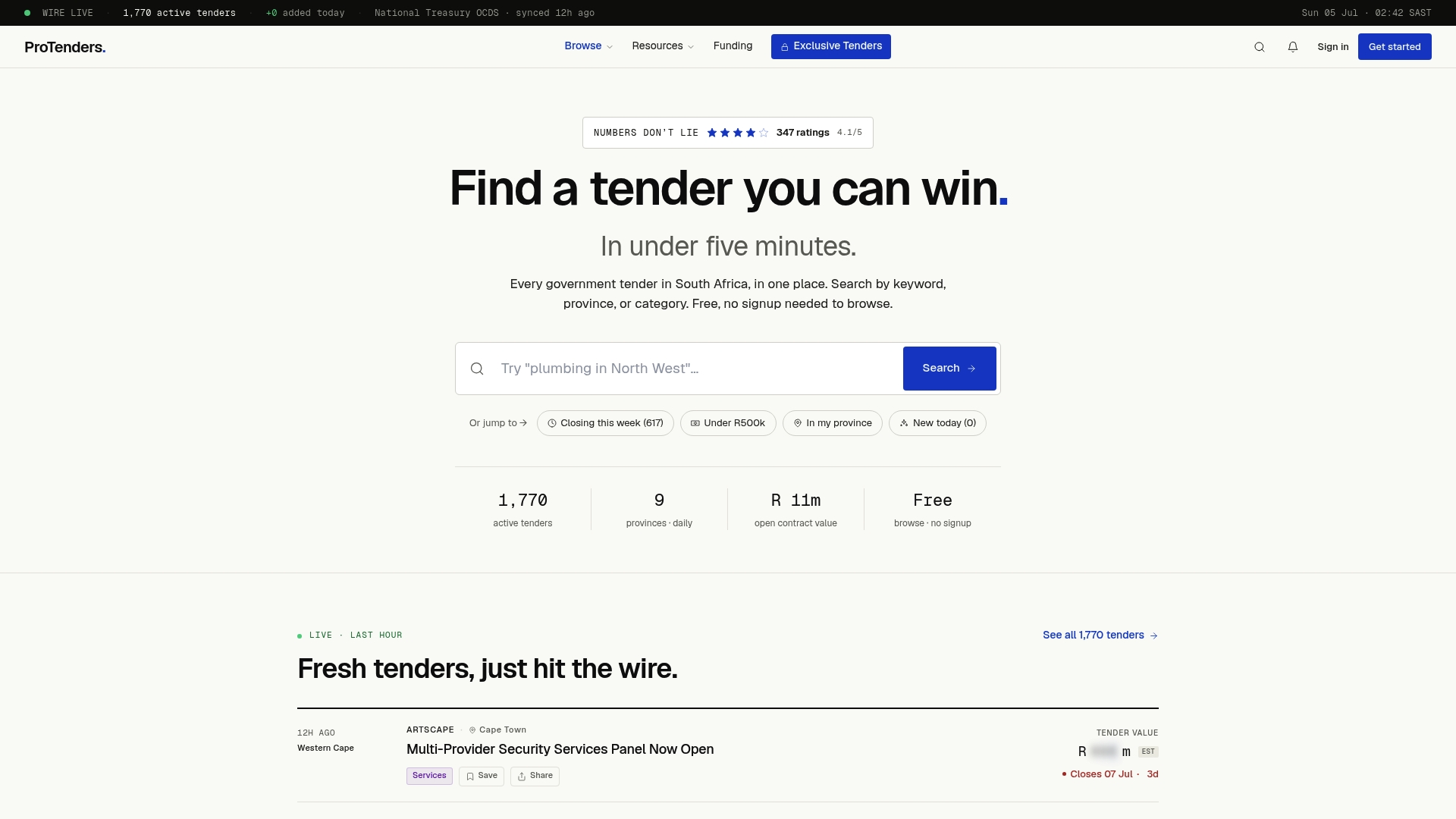
Once your class and grade are confirmed on the CIDB register, the real work starts: finding tenders that actually match what you're now authorised to bid on. That's the gap Protenders closes. Instead of manually checking national, provincial, and municipal buyer sites one at a time, Protenders aggregates every live government tender into a single searchable feed you can filter by class, grade band, region, or keyword, no separate sign-up required just to browse.
Beyond discovery, Protenders gives registered SMMEs compliance scorecards and document templates built for exactly the paperwork CIDB and tender evaluators expect, plus a bid workspace and access to funding partnerships for contractors who've won the tender but need working capital to deliver it. If you've just added a new class or pushed your grade up, the fastest next step is checking which live government tenders match your new registration today, before your competitors with the same grading get there first.
Sources
A handful of official pages cover nearly everything you'll need across the life of your registration, from first application to every subsequent upgrade.
- Frequently asked questions on eRoC
Once your registration reflects the class and grade you actually need, ProTenders' CSD registration guide covers the parallel Central Supplier Database step most public-sector bids also require.
This article provides general information on CIDB registration procedures and is not a substitute for guidance from CIDB directly or a registered compliance professional; confirm current requirements on cidb.org.za before submitting an application.
FAQ
How do I add a class of works on CIDB?
Log into the eRoC portal with your CRS number, select "add a class of works," choose the class and grade, and upload financials, track-record certificates, and any required specialist licence.
What is CIDB classification?
CIDB classification is the system of two-letter codes (GB, CE, EB, SP, and others) that define the specific type of construction work a contractor is registered to perform, combined with a grade number that sets the contract-value ceiling.
What are the requirements for upgrading CIDB classes of works?
You need your latest two years' financial statements, bank statements or a VAT 201 confirming turnover, tax compliance status, and completion and final payment certificates registered on the Register of Projects within the last five years.
What is grade 5 in construction?
Grade 5 is a mid-level CIDB grading band that sets a moderate contract-value ceiling; a contractor registered as 5GB, for example, is authorised for general building contracts up to that grade's value limit.
How long does a CIDB class upgrade take to process?
Grade 1 applications activate immediately with a credit balance, while Grades 2 through 9 typically take about 21 working days once the document set is complete.