CIPC documents for tenders: the South African SMME guide

To submit a South African government tender, you need these CIPC documents in your bid pack: the company registration certificate (CoR14.3 or COR14.3), the certificate of incorporation (CoR15.1 or CoR15.1A), a current enterprise disclosure or e-disclosure certificate, the Memorandum of Incorporation (MOI) when the tender specifically requests it, the CoR13 or beneficial ownership confirmation, and proof of filed annual returns. Close corporations substitute CK1 and CK2 for the CoR documents. Supporting checks run through CIPC e-Services, BizPortal, the Central Supplier Database (CSD), and SARS Tax Compliance Status (TCS).
Procurement teams expect files named and formatted like this:
CompanyName_CoR14.3_RegistrationCertificate.pdfCompanyName_CoR15.1_IncorporationCertificate.pdfCompanyName_eDisclosure_DDMMYYYY.pdfCompanyName_MOI_DDMMYYYY.pdf(when requested)CompanyName_BeneficialOwnership_Declaration.pdfCompanyName_AnnualReturn_FilingConfirmation_YYYY.pdfCompanyName_CK1_or_CK2.pdf(close corporations only)
Keep flattened, unlocked PDFs of every document. Some tender portals reject digitally-signed or encrypted files, and a rejected upload at 4 PM on closing day is not recoverable. *
Key takeaways
A tender-ready CIPC document pack requires a current CoR14.3, a fresh full e-disclosure (for a nominal fee) [R30], an up-to-date CSD report not older than 30 days, a valid TCS certificate, completed SBD forms, and a current B-BBEE certificate or sworn affidavit.
| Point | Details |
|---|---|
| Core CIPC documents | CoR14.3, CoR15.1, full e-disclosure, MOI (when requested), CoR13/beneficial ownership, and annual return confirmation. |
| CSD report age limit | The CSD report must not be older than 30 days at the time of tender submission. |
| Annual return deadline | File within 30 business days of your incorporation anniversary; missed filings trigger deregistration and block tender eligibility. |
| Flatten all PDFs | Convert every CIPC document to a flattened PDF before upload to prevent portal validation failures. |
| Protenders compliance tools | Protenders' compliance scorecards and document templates help SMMEs track document status and avoid administrative disqualification. |
Table of Contents
- Why procurement teams check your CIPC documents
- The CIPC documents buyers expect in a tender pack
- Other essential documents that must accompany CIPC evidence
- How to retrieve and download each CIPC document
- What CIPC documents cost and how long retrieval takes
- Common mistakes that cause administrative disqualification
- How to keep your CIPC and tender documents ready at all times
- What the paperwork patterns actually tell us
- Protenders keeps your tender documents ready before the deadline
- Sources
- FAQ
Why procurement teams check your CIPC documents
Procurement officials are not checking CIPC documents out of bureaucratic habit. They are confirming three things: that your business legally exists, that the entity bidding matches the entity on the tax and banking records, and that the people controlling the company are who they say they are.
A lapsed or deregistered company cannot legally enter into a government contract. CIPC status is the first filter applied during administrative compliance evaluation, and a company that fails it is eliminated before a single technical score is read.
The CIPC BID No:01/2026/2027 tender pack illustrates exactly how procurement officers reference CIPC documents in bid evaluation matrices. Your CIPC registration number flows directly into the CSD profile, which procurement cross-checks against your SARS TCS status and B-BBEE level. A mismatch anywhere in that chain, even a single character difference in your registered trading name, triggers a query or outright disqualification.
Two immediate consequences of a lapsed or deregistered status:
- Your CSD profile will reflect an inactive or deregistered status, which blocks bid acceptance at the CSD verification stage.
- Banks and funders can freeze accounts or decline facility applications linked to a deregistered entity, compounding the problem beyond just the tender.
Since July 2024, a Beneficial Ownership Declaration must be filed before a company can complete its annual return, per SourceFin's SMME guide. Miss that step and your annual return is incomplete, your CIPC status flags as non-compliant, and your tender eligibility evaporates. *
The CIPC documents buyers expect in a tender pack
Company registration certificate (CoR14.3 / COR14.3)
This is the foundational document. It proves your company was registered with CIPC, shows your registration number, and confirms the company name exactly as it appears on the CIPC register. Procurement uses it to cross-check every other document in your pack. If your bank statement says "ABC Trading (Pty) Ltd" and your CoR14.3 says "ABC Trading Proprietary Limited," that mismatch is enough to fail administrative compliance.
File name: CompanyName_CoR14.3_RegistrationCertificate.pdf
Certificate of incorporation (CoR15.1 / CoR15.1A)
The CoR15.1 is issued at the moment of incorporation and confirms the date your company came into existence. Some tenders, particularly those with a minimum trading age requirement, specifically request this document to verify that your company was registered before a stated cut-off date. It is not always requested separately from the CoR14.3, but keep it in your folder regardless.
File name: CompanyName_CoR15.1_IncorporationCertificate.pdf
Enterprise disclosure / e-disclosure certificate
The CIPC electronic disclosure guide distinguishes between a free disclosure (basic company details) and a full disclosure, which costs R30 and includes director details, the registered address, share structure, and a reference to the MOI. Most procurement teams want the full disclosure because it gives them the director list they need to verify against the SBD 4 declaration of interest. Generate it fresh for each tender; an e-disclosure dated six months ago tells the evaluator nothing about who controls the company today.
File name: CompanyName_eDisclosure_DDMMYYYY.pdf
Memorandum of Incorporation (MOI)
Not every tender asks for the MOI, but when it does, you need to know that access is restricted to active directors of the company. If the person preparing the bid is not a director, they need a written authorisation letter or power of attorney from a director to retrieve it. Keep a signed authorisation letter on file permanently; it saves hours when a deadline is close.
File name: CompanyName_MOI_DDMMYYYY.pdf
CoR13 and beneficial ownership declaration
The CoR13 is the notice of incorporation and is sometimes requested alongside the CoR15.1 to confirm the original registration details. More critically, the Beneficial Ownership Declaration is now a mandatory filing before annual returns can be processed. Procurement uses it for integrity checks, confirming that the people who ultimately own and control the company are disclosed and not flagged on any restricted-party lists.
File name: CompanyName_BeneficialOwnership_Declaration.pdf
Annual return filing confirmation
Companies must file annual returns within 30 business days of their incorporation anniversary. Missing that window triggers a deregistration process. Procurement panels treat the annual return filing confirmation as proof that your company is actively maintained and in good standing. You can retrieve this confirmation from the CIPC annual returns portal.
File name: CompanyName_AnnualReturn_FilingConfirmation_YYYY.pdf
Close corporation documents (CK1 / CK2)
If your business is a close corporation rather than a company, the CK1 (founding statement) and CK2 (amended founding statement, if applicable) replace the CoR documents. Supply both where changes have been made to the CC since registration. Procurement evaluators know the difference; submitting a CoR document for a CC will raise an immediate flag.
File name: CompanyName_CK1_FoundingStatement.pdf / CompanyName_CK2_AmendedStatement.pdf
Other essential documents that must accompany CIPC evidence
CIPC documents prove legal identity. The rest of the mandatory tender pack proves financial compliance, empowerment status, and commercial intent. The DPME SBD forms set the standard for what procurement expects alongside your CIPC evidence.
Central Supplier Database (CSD) reportYour CSD report must not be older than 30 days at the time of submission. Procurement cross-checks the CSD for your tax status, B-BBEE level, banking details, turnover category, and ownership demographics. A stale CSD report, even by a single day, can fail administrative compliance. Detailed guidance on maintaining your CSD profile is available in the CSD registration guide.
SARS Tax Compliance Status (TCS)The TCS PIN or printed TCS certificate confirms your tax affairs are in order. SARS links TCS directly to CSD verification, so a lapsed TCS will show up on your CSD report before you even notice it. Some buyers accept a TCS PIN printed on the day of submission; others want a certificate. Check the specific tender's requirements.
SBD forms- SBD 1 (Invitation to bid): the signed acknowledgement that you are submitting a bid.
- SBD 4 (Declaration of interest): directors and their associates must declare any interest in the procuring department. The director names here must match your CIPC e-disclosure exactly.
- SBD 6.1 (Preference points claim): your B-BBEE score claim under the PPPFA 80/20 or 90/10 system. An unsigned SBD 6.1 is one of the most common grounds for administrative disqualification.
A SANAS-accredited B-BBEE verification certificate carries the SANAS logo and is the gold standard. Exempt Micro Enterprises (EMEs) and Qualifying Small Enterprises (QSEs) may substitute a sworn affidavit signed before a commissioner of oaths. The affidavit must state your annual turnover and B-BBEE level. For a full breakdown of what procurement expects, see the B-BBEE tender requirements guide.
Sector-specific itemsSome tenders require CIDB grading registration. The CIDB grading levels run from Grade 1 (smallest) to Grade 9 (largest), with each grade tied to a maximum contract value. CIDB grading criteria include financial capacity, available capital, and relevant works experience. If your tender is in construction or engineering, your CIDB grading certificate belongs in the same folder as your CIPC documents. CIDB upgrade requirements apply when you want to move to a higher grade, typically requiring proof of completed contracts and updated financial statements.
*How to retrieve and download each CIPC document
Step 1: Log in to CIPC e-Services
Go to CIPC e-Services and log in with your registered username and password. If you do not have an account, register with your ID number and a valid email address. The portal is the fastest route to most CIPC documents.
Step 2: Navigate to certificates and disclosures
From the dashboard, select Certificates & Disclosures. You will see options for:
- Free disclosure: basic company details, no charge.
- Full disclosure (R30): includes directors, registered address, share structure, and MOI reference. Pay via the CIPC e-Services wallet before generating.
- MOI: available only to active directors of the company.
The CIPC disclosure and fees page confirms the R30 fee for an electronic disclosure certificate and lists other applicable charges.
Step 3: Generate and download the CoR14.3
Under Certificates, select your company and choose Registration Certificate (CoR14.3). The system generates a PDF immediately. Download it, flatten it (see pro tip below), and save it with the naming convention from Section 3.
Step 4: Use BizPortal for director-level access
BizPortal (bizportal.gov.za) offers an alternative retrieval path, particularly useful for directors who need to access MOI documents or confirm incorporation details. Navigate to Services → Company Registration → Registration Certificates. BizPortal's interface is more streamlined for first-time users, but e-Services gives more granular document control.
Step 5: Retrieve annual return confirmation
Log in to the CIPC annual returns portal, select your company, and download the filing confirmation for the most recent year. If returns are overdue, file them before attempting to download; the confirmation only generates after a successful filing.
Step 6: Handle a deregistered company
If your company has been deregistered for missed annual returns, reinstatement is possible but takes time. CIPC reinstatement applications are submitted via e-Services, and processing times vary. Budget at least four to six weeks for reinstatement, longer during peak periods. Bekin Consulting notes that late-filing penalties and reinstatement fees can be significant, and professional assistance can reduce turnaround time for urgent cases.
Step 7: Flatten your PDFs before submission
Open each downloaded PDF in Adobe Acrobat or a free alternative like PDF24. Print to PDF (do not use "Save As") to flatten digital signatures and remove interactive layers. Save the flattened version with the naming convention. This prevents portal validation failures on eTenders and other submission systems.
Pro Tip: Keep a signed director authorisation letter permanently on file. When a non-director is preparing the bid and the MOI is required, this letter allows them to request MOI access without chasing a director signature at the last minute. *What CIPC documents cost and how long retrieval takes
Fees above are sourced from the CIPC disclosure forms and fees page. Paper-based or perusal requests cost more and take significantly longer than e-Services retrieval. If you need a certified hard copy for a tender that specifically requires one, budget at least two weeks and consider using a CIPC-accredited service provider for faster turnaround.
Practical timing guidance:
- Within 1 week of closing: focus only on documents available instantly via e-Services. Do not attempt reinstatement or paper-based requests. If your company is deregistered, this tender is likely out of reach.
- 2–4 weeks out: enough time to file overdue annual returns, refresh your CSD report, and request any paper-certified copies if required.
- More than 4 weeks out: full reinstatement is possible if needed. Use this window to audit every document, correct name mismatches, and update beneficial ownership records.
*
Common mistakes that cause administrative disqualification
Administrative disqualification is not about the quality of your service offering. It is about paperwork. These are the errors that eliminate bids before a technical evaluator reads a single line.
Name mismatchesThe company name on your CoR14.3 must match the name on your CSD profile, your bank account, your TCS certificate, and your SBD 4 declaration. A single character difference, a missing "(Pty) Ltd," or a trading name instead of a registered name will fail the cross-check. Verify all four sources before submission.
Expired or stale documentsA CSD report older than 30 days is the most common administrative failure. Set a calendar reminder to refresh your CSD report within the week before any submission. Similarly, a TCS certificate printed months ago may no longer reflect your current tax status.
Unsigned declarationsAn unsigned SBD 6.1 or SBD 4 is treated as a missing document. Every signatory field on every SBD form must be completed. Check that the person signing has the authority to bind the company.
Wrong entity documentsSubmitting personal identity documents instead of company registration documents, or submitting CC documents for a company and vice versa, is an immediate disqualification. Know your entity type and match your documents to it.
Inconsistent director listsIf your e-disclosure lists three directors but your SBD 4 only declares two, procurement will query the discrepancy. Pull your e-disclosure the day before submission and compare the director list to every other document that references directors.
Missing beneficial ownership disclosureSince July 2024, the Beneficial Ownership Declaration is a required filing. If it is absent from your CIPC record, your annual return is technically incomplete, and procurement may treat your company as non-compliant.
Pre-submission verification checklist- Registration number matches across CoR14.3, CSD, SARS, and bank account.
- Company name is identical (character-for-character) on all documents.
- Director IDs on e-disclosure match SBD 4 declarations.
- Annual return confirmation is for the most recent filing year.
- CSD report is dated within 30 days of submission.
- All SBD forms are signed and dated.
- B-BBEE certificate or affidavit is current and correctly categorised (EME/QSE/large enterprise).
- All PDFs are flattened and named per the convention.
For a full walkthrough of the eTenders submission process, the eTenders submission guide covers portal-specific validation requirements step by step.
*How to keep your CIPC and tender documents ready at all times
The businesses that win tenders consistently are not necessarily better at the work. They are better at being ready. A document that takes 30 minutes to retrieve when you have two weeks is a crisis when you have two days.
Recommended folder structure/TenderReadyDocs
/CIPC
CompanyName_CoR14.3_RegistrationCertificate.pdf
CompanyName_CoR15.1_IncorporationCertificate.pdf
CompanyName_eDisclosure_DDMMYYYY.pdf
CompanyName_MOI_DDMMYYYY.pdf
CompanyName_BeneficialOwnership_Declaration.pdf
CompanyName_AnnualReturn_FilingConfirmation_YYYY.pdf
/Tax_CSD
CompanyName_TCS_Certificate_DDMMYYYY.pdf
CompanyName_CSD_Report_DDMMYYYY.pdf
/BBBEE
CompanyName_BBBEE_Certificate_YYYY.pdf
/SBD_Templates
SBD1_Blank.pdf
SBD4_Blank.pdf
SBD6.1_Blank.pdf
/DirectorAuthorisations
DirectorName_AuthorisationLetter_Signed.pdf
- Monthly: refresh your CSD report and check your TCS status on SARS eFiling.
- Annually (on incorporation anniversary): file annual returns within 30 business days. Update the Beneficial Ownership Declaration if any director or shareholder has changed.
- After any corporate change: update director details on CIPC e-Services immediately. A new director who is not yet on the CIPC register cannot sign SBD forms as a company representative.
- Before each tender submission: regenerate the e-disclosure (full, R30) and CSD report. Never reuse documents from a previous bid.
Assign one person as the compliance owner. In a small SMME, this is usually the owner or the finance manager. Their responsibilities: filing annual returns on time, refreshing the CSD report monthly, and maintaining the folder structure above. For urgent tender deadlines, have a named backup who knows the CIPC e-Services login and can act immediately.
Protenders' compliance scorecards and document templates give SMMEs a structured checklist that maps directly to what procurement evaluators check, reducing the risk of a missed document on submission day.
Pro Tip: Store a pre-signed director authorisation letter in the DirectorAuthorisations folder. Date it broadly (valid for 12 months) and have it witnessed. When a non-director needs to retrieve the MOI or sign on behalf of the company under time pressure, this letter is the difference between meeting the deadline and missing it. *What the paperwork patterns actually tell us
Most disqualifications are not close calls. They are the same three or four errors, repeated across hundreds of bids, by businesses that genuinely had the capability to deliver the contract.
The fastest disqualification pattern: a company refreshes its CSD report, but the report pulls outdated CIPC data because the annual return was filed late and the CIPC record still shows a prior director who resigned eight months ago. The SBD 4 lists the current director. Procurement sees two different names controlling the same company and flags it for investigation. The bid is set aside pending clarification, and by the time the clarification arrives, the evaluation is closed.
The second pattern: a company submits a digitally-signed PDF of its e-disclosure. The eTenders portal strips the digital signature layer during upload and the document renders as blank pages on the evaluator's screen. The company receives no notification. The bid fails on a technicality that a flattened PDF would have prevented entirely.
Three paperwork checks that have the largest effect on an administrative review outcome:
- Character-for-character name match across CoR14.3, CSD, SARS, and bank account. Not "close enough." Identical.
- Director list consistency between the e-disclosure and every SBD form that asks for director or signatory details.
- Document freshness: CSD report within 30 days, TCS current, e-disclosure generated within the last two weeks.
If you find a CIPC error seven days before closing, your options narrow fast. A name mismatch that requires a CIPC amendment takes time you do not have. What you can fix quickly: an affidavit explaining a minor discrepancy (a trading name vs. registered name difference), a fresh e-disclosure to replace a stale one, and a corrected SBD 4 if a director was omitted. What you cannot fix in seven days: a deregistered company, a missing annual return that requires filing and confirmation, or a beneficial ownership declaration that was never submitted.
The businesses that consistently make it through administrative compliance are the ones that treat their CIPC documents as a live asset, not a once-a-year task.
*Protenders keeps your tender documents ready before the deadline
Chasing CIPC documents the week a tender closes is a pattern that costs SMMEs real opportunities. Protenders is built to stop that from happening.
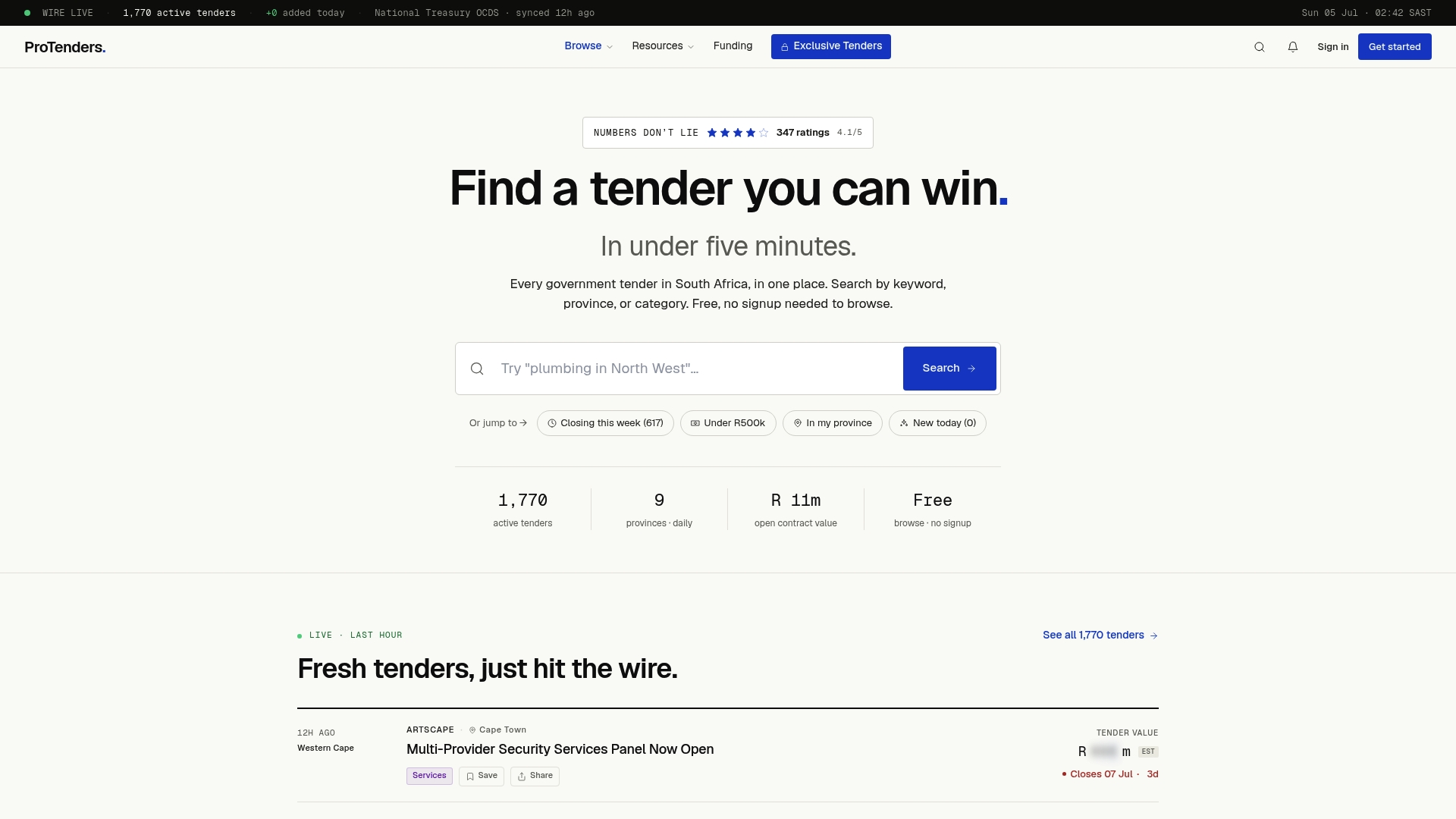
The platform gives you compliance scorecards that flag gaps in your document pack before you submit, document templates pre-formatted to match SBD and CIPC requirements, and a bid workspace where every version of every document is tracked and stored. CSD report age reminders mean you refresh on schedule, not in a panic. When you find a live government tender on Protenders, your compliance status is already visible alongside it, so you know immediately whether you are ready to bid or what needs fixing first.
Browse all active tenders free, no sign-up required. For SMMEs that want the full compliance toolkit, document templates, and automated alerts, the paid subscription puts everything in one place. Start with the Protenders tender feed and see what is open right now.
*Sources
*This article is general information, not a substitute for advice from a qualified lawyer. Consult a qualified legal professional about your own circumstances before acting on anything here.
FAQ
Which CIPC documents are required for a government tender?
The core CIPC documents required are the company registration certificate (CoR14.3), certificate of incorporation (CoR15.1), a current full e-disclosure, the Memorandum of Incorporation when requested, the CoR13 or beneficial ownership declaration, and annual return filing confirmation. Close corporations supply CK1 and CK2 instead of CoR documents.
What other documents must accompany CIPC evidence in a tender pack?
A current CSD report (not older than 30 days), a valid SARS TCS certificate or PIN, completed and signed SBD 1, SBD 4, and SBD 6.1 forms, and a SANAS-accredited B-BBEE certificate or sworn affidavit for EMEs and QSEs are all required alongside your CIPC documents.
How much does a CIPC disclosure certificate cost?
A full electronic disclosure certificate costs R30, payable through the CIPC e-Services wallet before the document is generated. A free basic disclosure is available at no charge but contains less detail than procurement typically requires.
How do I download my CIPC documents for a tender?
Log in to CIPC e-Services, navigate to Certificates and Disclosures, select your company, choose the document type, pay the applicable fee where required, and download the PDF. Flatten the PDF before uploading to any tender portal to prevent validation failures.
What happens if my company is deregistered before a tender closes?
A deregistered company cannot legally enter into a government contract and will fail administrative compliance. Reinstatement through CIPC e-Services is possible but typically takes at least four to six weeks, making it impractical for an imminent deadline. Prevention through timely annual return filing is the only reliable safeguard.
Recommended
- South Africa business opportunities: SMME tender guide | ProTenders
- SMME Tenders South Africa 2026: Government Opportunities for Small Businesses | ProTenders
- Tender Documents South Africa: Checklist & Guide (2026) | ProTenders
- Tender Glossary South Africa | Procurement Terms, Acronyms & Definitions | ProTenders