How to Search Tenders by Province in South Africa

The fastest way to search tenders by province is to use one source that covers all spheres of government, filter it to your province and your category, and then turn that search into an email alert so new listings come to you. The official starting point is the National Treasury's eTenders portal, which carries opportunities from public-sector organisations at all spheres of government. Provincial departments and municipalities also publish on their own sites, so a serious search uses both.
This guide shows you how to do it step by step, where each layer of government advertises, how to set up alerts, and what to have ready before you respond to a tender you find.
TL;DR
- eTenders is the official national and provincial publication point. Use its opportunities search first, then check the province's own website and the municipalities you can realistically serve.
- Municipal tenders are the easiest to miss. Municipalities advertise locally and on their own sites, so list the five to ten municipalities around you and check them on a routine.
- Alerts do the repeat work. Save a search by province and category, and have new matches sent to your inbox so you see tenders in the first days of the advertising window.
- Register on the Central Supplier Database (CSD) before you start bidding. Without it your bid can be disqualified, and every partner in a joint venture needs it too.
- ProTenders lets you search all live national, provincial and municipal tenders by keyword, region or category without signing up.
Table of Contents
- Why searching by province pays off
- Step 1: Search the eTenders portal
- Step 2: Check each province's own channels
- Step 3: Use one search that covers every province
- Step 4: Set up tender alerts
- Step 5: Verify, download and track
- What to prepare before you respond
- Our perspective
- Put the search to work with ProTenders
- A weekly routine that works
- Frequently asked questions
- Sources
Why searching by province pays off
Most SMMEs cannot deliver a contract on the other side of the country. A cleaning company in Polokwane has no business chasing a stormwater contract in Cape Town, because travel, site visits and compulsory briefings make it too costly. Province is therefore the first and most useful filter: it cuts a very large pool of tenders to the ones you could actually service.
It is also the filter that matches how government buys. National departments, provincial departments and municipalities each run their own supply chain management. A provincial health department in KwaZulu-Natal and a local municipality in the same province advertise separately, have different bid committees, and often ask for different local documents. Searching by province gets you into the right neighbourhood. The next steps narrow it down to the right street.
Step 1: Search the eTenders portal
The National Treasury runs eTenders as the central place where national and provincial tenders are advertised online, with free public access. Its opportunities page shows results in a table. You expand a listing to see its details and download the tender documents.
A practical way to work through it:
- Open the Opportunities page and start with the category that describes what you supply, such as construction, security, catering, ICT or consulting.
- Narrow the results to your province, then to the closing date range. A tender closing in three days is rarely worth chasing unless you already hold every document.
- Open each promising listing and read the description, the buyer, the closing date and any briefing session details.
- Download the full bid document and read the evaluation criteria before you decide.
- Note the contact person for queries. Many buyers close the question window well before the bid closes.
For a deeper look at how the portal works and what it does not cover, see our guide to eTenders in South Africa.
What eTenders does not always show
Not every buyer treats eTenders as its only channel. Some municipalities and entities post quotations and bids on their own websites, on notice boards and in local newspapers. Smaller requests for quotation can be especially easy to miss. The Western Cape Government, for example, tells suppliers to contact local municipalities or search their websites, and notes that municipalities must advertise in local newspapers and public places such as libraries and noticeboards.
There is a second reason to look beyond one portal. The Western Cape Government has said that during technical difficulties with the national systems, it used its own website as an interim primary mechanism for provincial bid advertisements, cancellations and awards. Systems fail, and when they do, the buyer's own site is where the notice lives.
Step 2: Check each province's own channels
Provincial government departments and public entities usually keep a tenders page on the provincial website. The layout differs from province to province, but the pattern is the same: a list of departments, each with its current bids, cancellations and awards.
Here is how to think about each layer.
| Layer | Where it advertises | What to check |
|---|---|---|
| National departments and agencies | eTenders, plus the department's own site | Closing dates, compulsory briefings, national delivery scope |
| Provincial departments (health, education, roads, human settlements) | eTenders and the provincial government's tenders page | Departments that buy what you sell, award notices |
| Metros and local municipalities | Municipal website, local press, notice boards, often eTenders | Local supplier database requirements, local content rules |
| District municipalities | District website and eTenders | Panel appointments, which can run for several years |
| State-owned entities | Their own procurement portals and eTenders | Separate registration steps |
Panels and supplier lists
Some municipalities do not advertise one-off jobs but appoint a panel of suppliers for a period. A recent example is the O. R. Tambo District Municipality's panel of suppliers for mechanical and electrical supply and delivery, published in November 2025. Getting onto a panel means you are invited to quote on later work, so panel notices are worth treating as seriously as a single big tender.
Municipalities can also keep their own supplier lists. George Municipality, for instance, requires suppliers to complete a municipality-specific verification form once their CSD registration is confirmed, so that they are added to its service provider list. If your target buyer does this, do it before the next quotation request arrives, not after.
Step 3: Use one search that covers every province
Checking a dozen sites is slow, and the sites you forget are the ones where you lose work. An aggregator pulls national, provincial and municipal listings into one searchable feed so you can filter once.
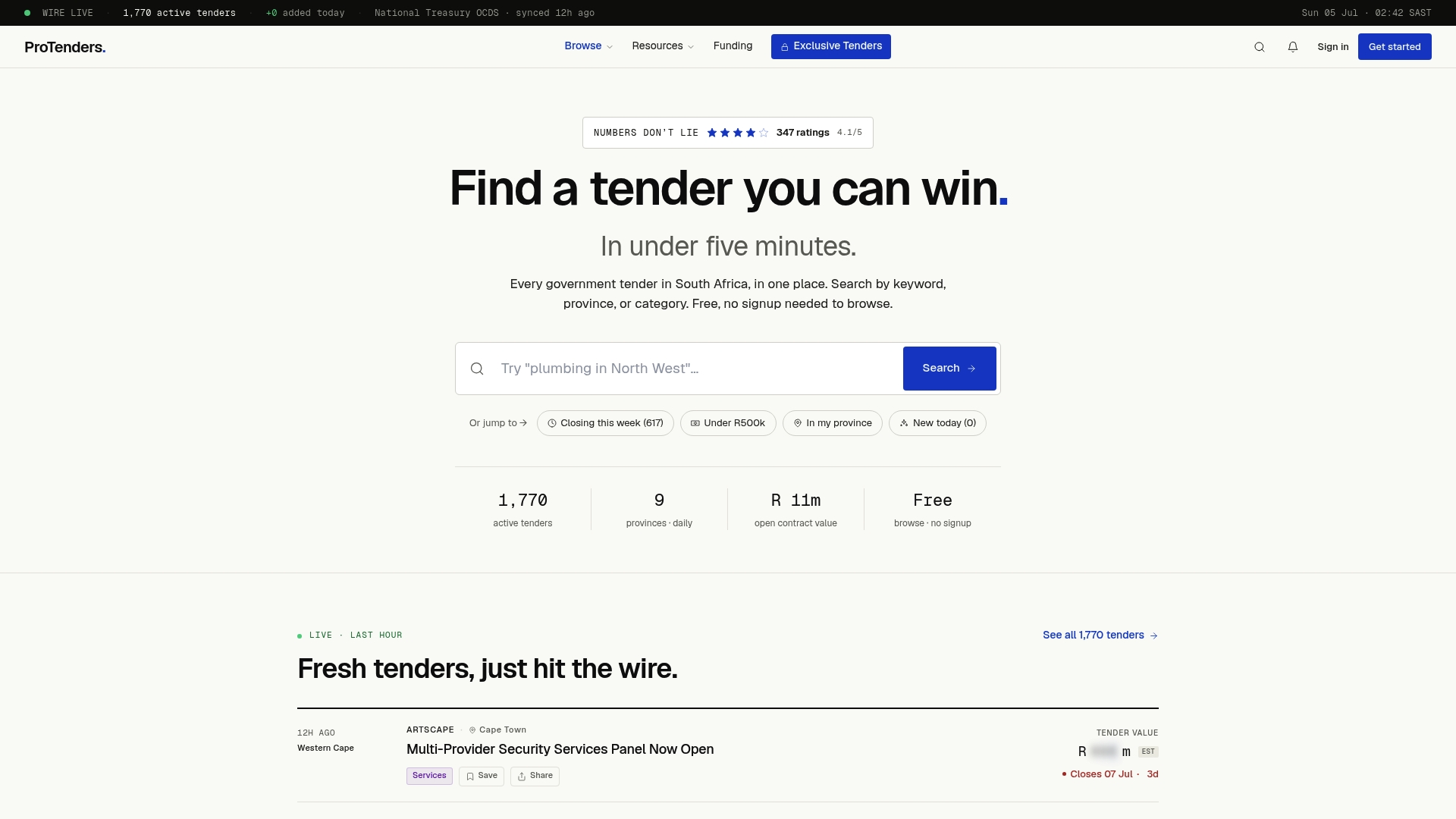
On ProTenders you can search all live tenders by keyword, region or category, and you do not need to sign up to browse. A sensible routine:
- Search your core service as a keyword, for example "security services" or "road maintenance".
- Filter by your home province, then repeat for the neighbouring province if you can travel.
- Switch to category browsing to catch tenders that use different words for the same work. Sector pages such as building tenders, IT tenders and transport and fleet tenders group them for you.
- Open the listing and follow it to the original buyer's documents. Always confirm closing dates against the buyer's own notice.
The data sources behind the feed are explained on our methodology page, which is worth a read if you want to know how listings are collected.
Plan ahead with procurement plans
A tender is the late end of the process. Government departments publish procurement plans that signal what they intend to buy. Our procurement plans page collects upcoming opportunities, so you can prepare your documents and pricing before the advertisement appears. This matters most for construction and professional services, where a month of preparation can decide who has a complete bid.
Step 4: Set up tender alerts
Searching by hand every morning does not scale. Alerts reverse the work: you describe what you want once, and new tenders reach you by email.
The basic setup is the same wherever you do it:
- Pick the province or provinces you can deliver in. Be honest about distance.
- Pick two to four categories or keywords. Too broad and your inbox fills with irrelevant bids. Too narrow and you miss tenders worded differently by different buyers.
- Add the exclusions. If you do not do installations, filter them out.
- Choose the frequency. Daily works for most SMMEs, because the advertising window on many bids is short.
- Use an inbox you check every day, and add the sender to your safe list so alerts do not land in spam.
ProTenders offers tender alerts for South Africa, with daily updates. Plans differ in what alerting and tools they include, so check the pricing page for the current detail. The Free plan costs nothing, Pro is R1 990 per year, Business is R3 990 per year, and Enterprise starts from R999 per month.
What to check about any alert service
Before you rely on an alert, test it. Alerts are a convenience, never proof that nothing else exists.
- Coverage. Does it include municipalities and state-owned entities, or only the national portal? Search for a municipal tender you already know is open and see whether it appears.
- Province tagging. Some tenders are national but delivered in a province, and some are tagged to the head office location. Run your search both ways.
- Timing. Compare when a tender shows up in the alert with the date on the buyer's notice. If you regularly see tenders only in the last week of the window, the service is too slow for you.
- Registration limits. Check whether the service wants an account to save searches, and whether any plan limits the number of alerts you can save.
- Unsubscribe and spam. A tool that sends 80 irrelevant emails a day will be ignored by Friday.
Step 5: Verify, download and track
An alert tells you a tender exists. It does not tell you whether it is current, whether it was amended, or whether you qualify. Treat every alert as a lead that needs checking.
Verify against the buyer's notice. Open the original bid document on eTenders or the buyer's site and confirm the closing date, time and place of submission. Addenda and extensions can change the date, and the original document is the one that counts.
Download the whole pack. That means the invitation, the terms of reference or specification, the pricing schedule, and all the standard bidding documents. Save them in a folder named by buyer, bid number and closing date.
Track it in one place. A simple spreadsheet works: bid number, buyer, province, closing date, briefing date, query deadline, documents needed, status. A shared workspace is better if you bid with a partner. ProTenders includes a bid workspace for this purpose and document templates to speed up the paperwork.
Watch for the small print that kills bids. Kannaland Municipality warns that failing to complete the required forms, provide requested information or sign the bid document may result in disqualification. Unsigned forms lose more bids than weak pricing does.
What to prepare before you respond
Finding the tender is half the job. If your paperwork is not ready, the best search routine in the world gets you nowhere.
Register on the CSD
The Department of Public Works and Infrastructure says businesses must register on the Central Supplier Database to be eligible to bid for work with government departments, and it provides a helpdesk for registration help. The O. R. Tambo bid notice cited above goes further and says bidders must register on the CSD to avoid disqualification.
George Municipality says CSD registration needs a South African barcoded ID, a valid Tax Clearance Certificate and a credible bank account, and, where applicable, professional registration and a BEE certificate. Our CSD registration step-by-step guide walks through the process.
Joint ventures and subcontracting
If you plan to bid with another firm because the contract is larger than your capacity, the rules follow you. The same O. R. Tambo notice states that in a joint venture or consortium, every partner must meet requirements such as CSD registration and tax compliance. One partner with an expired tax status can sink the whole bid, so check your partner's standing before you sign anything.
Learn the vocabulary
Tender notices are full of shorthand: RFQ, RFP, RFx, panel, framework. If a notice leaves you unsure what is being asked, a plain-language explainer on procurement acronyms helps you read it correctly before you spend a day on the wrong kind of response.
Our perspective
We built ProTenders because we kept seeing the same pattern: capable small businesses lose not because their price is wrong, but because they find the tender late, or find it on time and discover they lack a document. Searching is the first stage of a longer chain, and we treat it that way.

The lesson we would pass on is to stop thinking of tendering as a hunt and start thinking of it as a routine. Fix your province and your categories. Keep your compliance documents current so you can respond within a day. Let alerts bring the opportunities to you. Then spend your real time on the few bids where you have a genuine edge: local presence, relevant references, and a pricing schedule you have tested.
We also believe browsing should be open. You should be able to see what government is buying in your province without handing over details first. Once you decide to bid, the compliance scorecards, templates and funding partners are there to help you finish the job, and win or lose, to get the contract delivered if you are awarded it.
— Dolene April
Put the search to work with ProTenders
If you want one place to search every province, ProTenders aggregates live tenders from national, provincial and municipal buyers. Browse by keyword, region or category without signing up, then move to a paid plan when you want alerts and the bid tools. Pro is R1 990 per year and Business is R3 990 per year, and you can compare every plan on the pricing page.
If you win a contract and need cash to buy materials or pay staff before the buyer pays you, look at the business funding programs we list. For a wider walkthrough of the process from search to submission, read our guide on how to get government tenders in South Africa, or browse our tender guides.
A weekly routine that works
Tools help only if you use them on a schedule. This is a routine a one-person business can keep:
- Daily, five minutes: Read your alert email. Open anything that matches your province and category. Reject the rest quickly.
- Weekly, thirty minutes: Check the tender pages of the three or four municipalities and departments that matter most to you, in case something was posted only locally. Update your tracking sheet.
- Monthly, one hour: Review procurement plans for upcoming work, check that your CSD details, tax status and certificates are in date, and refresh your company profile and references.
- Per bid: Download the full pack, mark the compulsory briefing and query deadline in your calendar the same day, and decide within 48 hours whether to bid. Late decisions produce rushed bids.
A tender that is 40 percent suitable is usually a distraction. Qualify hard. If you lack a required grading, a mandatory certificate or the right experience, move on and use the time on a bid you can win.
Frequently asked questions
Can I search tenders by province without creating an account?
Yes, on the eTenders portal you can view opportunities and download documents with free public access. On ProTenders you can also browse live tenders by keyword, region or category without signing up. An account is only needed when you want to save searches or use tools such as alerts and the bid workspace.
Is eTenders enough, or do I need to check municipal websites too?
Start with eTenders, since it covers all spheres of government, but do not stop there. Municipalities also advertise on their own sites, in local newspapers and on public noticeboards, and some use their own website when national systems are down. Check the sites of the municipalities you can serve on a regular schedule.
How do I get email alerts for tenders in my province?
Save a search with your province and two to four categories or keywords, then switch on daily email delivery and add the sender to your safe list. Test the alert by comparing it with a tender you know is open. Our tender alerts page explains how alerts work on ProTenders.
What must I have before I bid on a provincial or municipal tender?
You need a Central Supplier Database registration, a valid tax status and a bank account in your business name, plus any professional registration or BEE certificate the bid asks for. Every partner in a joint venture must meet the same requirements. Complete and sign every form in the bid pack, because missing information can lead to disqualification.
Do I need to look at tenders outside my province?
Only when you can deliver there at a profit. National tenders are often delivered in several provinces, and some provincial buyers accept suppliers from elsewhere, but site visits and logistics add cost. Begin with your home province and widen the search only when you have spare capacity.
Sources
- Home Page - eTenders Portal
- Opportunities - eTenders Portal
- Tenders | Western Cape Government
- Supply Chain Management - George Municipality
- O. R. Tambo District Municipality panel of suppliers notice
- Department of Public Works FAQs
- Kannaland Municipality bid document on eTenders